Hi all,
This is my Image Library for Device and Desktop. Short description follows.
Methods:
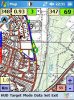
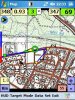
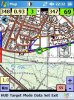
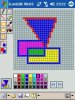
ScreenCapture: Captures the whole screen.
ScreenCapture2(x,y,width,Height): Captures part of the screen.
ControlCapture(ControlName,x,y,width,Height): Captures part of a control. x,y are relatives to control upper left corner. The control can be a form or any other control
SaveImageBMP(Image, FileName): Saves the Image as BMP to a file with filename Filename.
SaveImageJPEG(Image, FileName): Saves the Image as JPG to a file with filename Filename.
SaveImageGIF(Image, FileName): Saves the Image as GIF to a file with filename Filename.
CopyImage(sourceImage, x,y,width, height): Copies a part of an image. Returns the new cropped Image (part of the source)
RotateImage(sourceImage, angle): Rotates an image. Angle can be one of 0, 90, 180, 270. Returns the rotated Image
ZoomImage(sourceImage, Percent): Zoomes an image Percent% of the original (Percent = 0 to 1000). Returns the Zoomed Image
ImageSize(Image): Returns an array(2) containing width and height of the image. array(0) = width and array(1) = height
Properies:
Image: The recently captured image
For how to use it see the included in the attached zip, test2.sbp
This is my Image Library for Device and Desktop. Short description follows.
Methods:
ScreenCapture: Captures the whole screen.
ScreenCapture2(x,y,width,Height): Captures part of the screen.
ControlCapture(ControlName,x,y,width,Height): Captures part of a control. x,y are relatives to control upper left corner. The control can be a form or any other control
SaveImageBMP(Image, FileName): Saves the Image as BMP to a file with filename Filename.
SaveImageJPEG(Image, FileName): Saves the Image as JPG to a file with filename Filename.
SaveImageGIF(Image, FileName): Saves the Image as GIF to a file with filename Filename.
CopyImage(sourceImage, x,y,width, height): Copies a part of an image. Returns the new cropped Image (part of the source)
RotateImage(sourceImage, angle): Rotates an image. Angle can be one of 0, 90, 180, 270. Returns the rotated Image
ZoomImage(sourceImage, Percent): Zoomes an image Percent% of the original (Percent = 0 to 1000). Returns the Zoomed Image
ImageSize(Image): Returns an array(2) containing width and height of the image. array(0) = width and array(1) = height
Properies:
Image: The recently captured image
For how to use it see the included in the attached zip, test2.sbp