This library is a replacement for ImageLib upon which it was modelled using the ImageLib source (with Erels prior agreement) as a start - it's a bit different now 
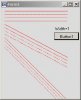
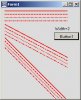
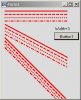
Check out the demo, particularly on the desktop, to see what can now be done. Two libraries, for desktop and device, source for merging, help and a demo are in the zip. Both desktop and device require .NET 2.0.
EDIT :- Version 1.1 posted with new method BitmapEx.Rotate which rotates a bitmap an arbitrary number of degrees. Note that if you want to merge the source for a device app you need to put a SIP(False) statement in your App_Start if you do not already use SIP elsewhere. This forces the Basic4ppc to reference a .NET assembly that it would not otherwise do and that is required for merging. This need will be removed with the next version of Basic4ppc.
EDIT :- Version 1.2 posted with improvements. See post #31 for details.
EDIT :- Version 1.3 posted with bitmap alpha blending. See post #50 for details.
EDIT :- Version 1.4 posted with minor tweak to BitmapEx.Zoom memory management and BitmapEx.Zoom documented in the help. There is (at least) one error in the help. See post #67.
EDIT :- Version 1.5 posted. See post #85 for details.
EDIT :- Version 1.6 posted. See post #103 for details.
EDIT :- Version 1.7 posted. See post #105 for details.
EDIT :- Version 1.8 posted. See post #106 for details.
EDIT :- Version 1.9 posted. See post #115 for details.
EDIT :- Version 2.0 posted. See post #136 for details.
EDIT :- Version 2.1 posted. See post #142 for details.
EDIT :- Version 2.2 posted. See post #177 for details.
Check out the demo, particularly on the desktop, to see what can now be done. Two libraries, for desktop and device, source for merging, help and a demo are in the zip. Both desktop and device require .NET 2.0.
EDIT :- Version 1.1 posted with new method BitmapEx.Rotate which rotates a bitmap an arbitrary number of degrees. Note that if you want to merge the source for a device app you need to put a SIP(False) statement in your App_Start if you do not already use SIP elsewhere. This forces the Basic4ppc to reference a .NET assembly that it would not otherwise do and that is required for merging. This need will be removed with the next version of Basic4ppc.
EDIT :- Version 1.2 posted with improvements. See post #31 for details.
EDIT :- Version 1.3 posted with bitmap alpha blending. See post #50 for details.
EDIT :- Version 1.4 posted with minor tweak to BitmapEx.Zoom memory management and BitmapEx.Zoom documented in the help. There is (at least) one error in the help. See post #67.
EDIT :- Version 1.5 posted. See post #85 for details.
EDIT :- Version 1.6 posted. See post #103 for details.
EDIT :- Version 1.7 posted. See post #105 for details.
EDIT :- Version 1.8 posted. See post #106 for details.
EDIT :- Version 1.9 posted. See post #115 for details.
EDIT :- Version 2.0 posted. See post #136 for details.
EDIT :- Version 2.1 posted. See post #142 for details.
EDIT :- Version 2.2 posted. See post #177 for details.
Attachments
Last edited: