![]() |
|
|||||||
| Home | Register | FAQ | Members List | Search | Today's Posts | Mark Forums Read |
| Additional Libraries Users contributed libraries. This sub-forum is only available to licensed users. |
![]() |
|
|
LinkBack | Thread Tools | Display Modes |
|
|||
|
Hi. I don't know much about C/C++. What valid 32-bit integers can I pass to PostMessageToWindow(), for WMSG, wParam, lParam? I am not following winuser.h. Do I just convert those hexadecimal values to INT32 and use those in my program, and how can I tell what constants to reference when I need a particular feature other than writing to another application? What else can I make other windows do besides typing in other applications? Thank you very much, your library rules!
|
|
||||
|
Hello,
JJM thank you for your note and sorry for the bug. I attached at the same post (#8) new dzHW-2.ZIP with fixed dzHW.dll, please download it again. alfcen, SPS stands for System Power Status structure used for quering the power status of the device. You are right about Visual Studio and therefore after first version of dzHW library, I'm using sharpdevelop (http://www.sharpdevelop.net), an open source IDE VS alternative, to develop this librariy. I will post the source code in the near future, so everyone could be able to continue it's development, because I'll stop some moment (not enough free time to spent) conf, sorry no SMS library for now. I develop these libraries for my own use and just share them with b4ppc community. Louis, PostMessage functions can be used by your app to communicate with other apps. You can use Bitwise library to convert hex values to decimal at runtime. Maybe I'll post some more examples later in this thread. |
|
||||
|
Hi to all,
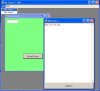
A new dzHW version is here with more functions and with a new dzForm control for desktop only. I thought that Form control of B4PPC is not enough for desktop applications so I created this. For how to use dzForm control see attached B4PPC sample. Documentation for dzForm I'll not post (I hate writing documentation especially in a foreign language) but I think it is simple to understand it. Ask for everything you do not understand. A simple description for dzHW added function follows. GetProcesses: Returns in a table of string the names of active processes KillProcess("ProcessName"): Kills the process GetProcessHandle("ProcessName"): Returns the handle of process with name ProcessName GetModuleHandle("Modulename"): Return the Handle for a loaded module. ModuleName = "null" returns the handle of myapp GetActiveWindowHandle: Returns the Handle of the Active Window GetWindowHandle("ClassName", "WindowName"): Returns the handle of Window with class name ClassName and window name WindowName. ClassName and or WindowName can be null GetClassName(hWnd, StrLen): Returns in a string the class name of the given hWnd. StrLen the maximum length of class name to return GetWindowtext(hWnd, StrLen): Returns in a string the window text of the given hWnd. StrLen the maximum length of window name to return SetWindowText(hWnd, WindowText): Sets the Window Title or Caption of window eith Handle hWnd GetParent(hWnd): Returns the parent window handle of window with handle hWnd GetWindowFirst(hWnd): Returns the handle of the first in order window of window with handle hWnd GetWindowNext(hWnd): Returns the handle of the next in order window of window with handle hWnd GetWindowChild(hWnd): Returns the first child window of thw window with handle hWnd PostMessage(hWnd, wMsg, wParam, lParam): Posts a message to the window with hWnd handle ShowWindow(hWnd, nCmdShow): Send mCmdShow command to the window with handle hWnd. If mCmdShow = 0 hides the window. If mCmdShow = 5 shows the window. See winuser.h as above GetWindowRect(hWnd): Return a table(4) of int32 with left, top, right, bottom of window with Handle hWnd IsWindowVisible(hWnd): Returns true if the window with handle hWnd is visible IsWindow(hWnd): Returns true if the window with handle hWnd is window (!!!) For how to use these functions see dzSpy I've posted here dzSpy - Spy and Task Manager App - Open Source Desktop version source code can be found here http://www.terracom.gr/basic4ppc/files/dzHWdesktop.zip Device version source code can be found here http://www.terracom.gr/basic4ppc/files/dzHW.zip Attached dzHW-3.zip contains compiled DLLs. Attached dzForm-sample.zip contains .sbp sample dzHWDesktop.dll and FormLib.dll. Regards |
|
||||
|
Hello agraham,
Thank you very very very much for your work. dzProcesses is a helper class and there is no need to be visible to Basic4ppc. I'll post more comments in the near future, since I'm very busy for now. Thanks again! @Erel: What do you say about hiding protected classes ? |
![]() |
| Currently Active Users Viewing This Thread: 1 (0 members and 1 guests) | |
| Thread Tools | |
| Display Modes | |
|
|
Similar Threads
|
||||
| Thread | Thread Starter | Forum | Replies | Last Post |
| Door library (Beta) - Special library | Erel | Official Updates | 48 | 07-18-2008 02:33 PM |
| Merging Outlook library and Phone library | Erel | Official Updates | 2 | 07-14-2008 03:38 PM |