

When developing the Family-tree application I had to fight with the absence of identifiers on top of the node text, and ended up finally with two trees in parallel, one for the names and the other, invisible, for the ID numbers.
The inability to color the nodes was another limitation.
I saw others look for solutions to other problems, like finding the path from the root node.
I am glad to contribute TreeViewPlus, (based on ControlsEx), providing the abovementioned additions and more.
The attachement includes the library, cs file for integration with the compiled application, help file and an example program. The help file text for the non-changed methods and properties is taken from the original help file of ControlEx.
The additional methods are:
- BackColor and ForeColor for nodes.
- ClearBackColor and ClearForeColor – clear all the nodes colors.
- Tag (as string) – additional identifier to the node.
- SelectedTag – returns the Tag of the selected node.
- AddNewNode2 – define a new node with both Text and Tag.
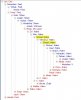
- FindByTag – searches the tree by the Tag and changes the BackColor of the compatible node, to a color defined by FoundTagColor.
- FindByText1 – searches the tree and returns a string with all the tags of the compatible nodes.
- FindByText2 – searches the tree and paints all the compatible nodes.
- SelectByTag – searches by the Tag and selects the found node.
- TextPath – returns the path from the root node to the activating node, by the Text of the nodes.
- TagPath – returns the path from the root node to the activating node, by the Tags of the nodes.
- FontSize - to set or get the fontsize.
- SetFontStyle - to set the style (bold,underline,italic or strikethrough)
Looking forward for comments and ideas for more improvements.
Edit: updated to ver 1.1 - "FindBy..." and "SearchByTag" methods now include check for empty input strings. FindByText2 and FindByTag now return the number of found nodes.
The inability to color the nodes was another limitation.
I saw others look for solutions to other problems, like finding the path from the root node.
I am glad to contribute TreeViewPlus, (based on ControlsEx), providing the abovementioned additions and more.
The attachement includes the library, cs file for integration with the compiled application, help file and an example program. The help file text for the non-changed methods and properties is taken from the original help file of ControlEx.
The additional methods are:
- BackColor and ForeColor for nodes.
- ClearBackColor and ClearForeColor – clear all the nodes colors.
- Tag (as string) – additional identifier to the node.
- SelectedTag – returns the Tag of the selected node.
- AddNewNode2 – define a new node with both Text and Tag.
- FindByTag – searches the tree by the Tag and changes the BackColor of the compatible node, to a color defined by FoundTagColor.
- FindByText1 – searches the tree and returns a string with all the tags of the compatible nodes.
- FindByText2 – searches the tree and paints all the compatible nodes.
- SelectByTag – searches by the Tag and selects the found node.
- TextPath – returns the path from the root node to the activating node, by the Text of the nodes.
- TagPath – returns the path from the root node to the activating node, by the Tags of the nodes.
- FontSize - to set or get the fontsize.
- SetFontStyle - to set the style (bold,underline,italic or strikethrough)
Looking forward for comments and ideas for more improvements.
Edit: updated to ver 1.1 - "FindBy..." and "SearchByTag" methods now include check for empty input strings. FindByText2 and FindByTag now return the number of found nodes.
Attachments
Last edited:
