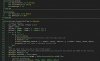
Edit: Starting from v5.00 there is support for multiple themes. See this post for more information: https://www.b4x.com/android/forum/threads/themes-and-fonts-in-5-0.54338/#post-340927
Last edited:



<Styles>
        <Style Key="IdeBackground" ForeColor="#212121"/>
        <Style Key="ContentDivider" ForeColor="#7CFF85"/>
        <Style Key="LineNumber" ForeColor="#7CFF85" />


           <Style Key="ToolTipBackground" ForeColor="#6C9861" />
        <Style Key="ToolTipDefaultStyle" ForeColor="#FFFFFF"/>


        <Style Key="DefaultStyle" ForeColor="#FFFFFF"/>
        <Style Key="GlobalVariablesStyle" ForeColor="#FFFF91"/>
        <Style Key="ReservedWordStyle" ForeColor="#7CFF85" />
        <Style Key="NumberStyle" ForeColor="#7CFF85" />
        <Style Key="TypeWordStyle" ForeColor="#F7FF00" />
        <Style Key="StringDefaultStyle" ForeColor="#7CFF85" />
        <Style Key="CommentDefaultStyle" ForeColor="#AEADB0" />
        <Style Key="SelectionHighlight" ForeColor="#FFEF00" />
        <Style Key="ReferenceHighlight" ForeColor="#292929" />
        <Style Key="UndeclaredIdentifier" ForeColor="#cccccc" />
        <Style Key="PreProcessorDirectiveKeywordStyle" Name="Pre-Processor Directive Keyword" ForeColor="#FF0000" />
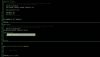
</Styles><Styles>
<Style Key="IdeBackground" ForeColor="#000100"/>
<Style Key="ContentDivider" ForeColor="#7CFF85"/>
<Style Key="LineNumber" ForeColor="#7CFF85" />
<Style Key="ToolTipBackground" ForeColor="#9CAC94" />
<Style Key="ToolTipDefaultStyle" ForeColor="#FFFFFF"/>
<Style Key="DefaultStyle" ForeColor="#689258"/>
<Style Key="GlobalVariablesStyle" ForeColor="#FFFFFF"/>
<Style Key="ReservedWordStyle" ForeColor="#44FF51" />
<Style Key="NumberStyle" ForeColor="#7CFF85" />
<Style Key="TypeWordStyle" ForeColor="#E0E800" />
<Style Key="StringDefaultStyle" ForeColor="#7CFF85" />
<Style Key="CommentDefaultStyle" ForeColor="#323232" />
<Style Key="SelectionHighlight" ForeColor="#FFEF00" />
<Style Key="ReferenceHighlight" ForeColor="#292929" />
<Style Key="UndeclaredIdentifier" ForeColor="#cccccc" />
<Style Key="PreProcessorDirectiveKeywordStyle" Name="Pre-Processor Directive Keyword" ForeColor="#FF0000" />
</Styles>
 . Nice ones vb1992. Erel, I have 1 more setting I would like to have. The default color for the tooltips is only working for the first line (parameters). The explanation is still in black. Perhaps you could add another setting for this one for the next update .
The default color for the tooltips is only working for the first line (parameters). The explanation is still in black.
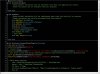
<Styles>
        <Style Key="IdeBackground" ForeColor="#000000"/>
        <Style Key="ContentDivider" ForeColor="#C2D5DC"/>
        <Style Key="LineNumber" ForeColor="#58859B" />
        <Style Key="ToolTipBackground" ForeColor="#36598A" />
        <Style Key="ToolTipDefaultStyle" ForeColor="#F0F0F0"/>
        <Style Key="DefaultStyle" ForeColor="#F0F0F0"/>
        <Style Key="GlobalVariablesStyle" ForeColor="Yellow"/>
        <Style Key="ReservedWordStyle" ForeColor="#9CC4D2" />
        <Style Key="NumberStyle" ForeColor="#F4AF82" />
        <Style Key="TypeWordStyle" ForeColor="#45B6DC" />
        <Style Key="StringDefaultStyle" ForeColor="Red" />
        <Style Key="CommentDefaultStyle" ForeColor="#85DE6D" />
        <Style Key="SelectionHighlight" ForeColor="#2B70B6" />
        <Style Key="ReferenceHighlight" ForeColor="#E0E0E0" />
        <Style Key="UndeclaredIdentifier" ForeColor="#FF1E1E" />
        <Style Key="PreProcessorDirectiveKeywordStyle" Name="Pre-Processor Directive Keyword" ForeColor="#FFE5C2" />
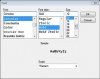
</Styles> . The non-color properties won't show in real-time. You can use the preview button at the top or press F5. The 'New' button starts with the default settings from Erel. No need to load an xml anymore to get started.!