Android has very good support for custom input method editors (IMEs).
The downside for this powerful feature is that interacting with the soft keyboard can be sometimes quite complicated.
This library includes several utilities that will help you better handle the soft keyboard.
The attached example demonstrates the available methods.

Note that the IME object should be initialized before it can be used.
Handling the screen size changed event
When the keyboard opens the available screen size becomes much shorter. By default if the EditText is located near the bottom of the screen, Android will "push" the whole activity and make the EditText visible. This mode is named "adjustPan" mode.
By calling IME.AddHeightChangedEvent you are changing the activity to "adjustSize" mode. In this mode the activity will not be pushed automatically. Instead the HeightChanged event will be raised when the keyboard is shown or hidden.
Update: You should explicitly set the adjustSize mode with the manifest editor. This is done by adding the following manifest editor code (for each activity):
For example the following code makes sure that the button at the bottom is always visible and sets the large EditText height to match the available height:
The result is:

Note that this method will not work if the activity is in full screen mode (Issue 5497 - android - adjustResize windowSoftInputMode breaks when activity is fullscreen - Android).
Showing and hiding the keyboard
IME.ShowKeyboard - Sets the focus to the given view and opens the soft keyboard.
IME.HideKeyboard - Hides the keyboard (this method is the same as Phone.HideKeyboard).
Handle the action button
By calling IME.AddHandleActionEvent you can override the default behavior of the action button (the button that shows Next or Done).
This event is similar to EditText_EnterPressed event. However it is more powerful. It also allows you to handle the Next button and also to consume the message (and keep the keyboard open and the focus on the current EditText).
This can be useful in several cases.
For example in a chat application you can send the message when the user presses on the done button and keep the keyboard open by consuming the message.
You can also use it to validate the input before jumping to the next view by pressing on the Next button (note that the user will still be able to manually move to the next field).
You can use the Sender keyword to get the EditText that raised the event.
For example:
Custom filters
EditText.InputType allows you to set the keyboard mode and the allowed input.
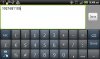
However there are situations where you need to use a custom filter. For example if you want to accept IP addresses (ex: 192.168.0.1). In this case none of the built-in types will work. Setting the input type to INPUT_TYPE_DECIMAL_NUMBERS will get you close but it will not allow the user to write more than a single dot.
IME.SetCustomFilter allows you to both set the keyboard mode and also to set the accepted characters.
In this case we will need a code such as:
Note that this is only a simple filter. It will accept the following input (which is not a valid IP address):
The example is attached.
The library is available here: http://www.b4x.com/forum/additional...4834-ime-library-soft-keyboard.html#post84114
The downside for this powerful feature is that interacting with the soft keyboard can be sometimes quite complicated.
This library includes several utilities that will help you better handle the soft keyboard.
The attached example demonstrates the available methods.
Note that the IME object should be initialized before it can be used.
Handling the screen size changed event
When the keyboard opens the available screen size becomes much shorter. By default if the EditText is located near the bottom of the screen, Android will "push" the whole activity and make the EditText visible. This mode is named "adjustPan" mode.
By calling IME.AddHeightChangedEvent you are changing the activity to "adjustSize" mode. In this mode the activity will not be pushed automatically. Instead the HeightChanged event will be raised when the keyboard is shown or hidden.
Update: You should explicitly set the adjustSize mode with the manifest editor. This is done by adding the following manifest editor code (for each activity):
B4X:
SetActivityAttribute(main, android:windowSoftInputMode, adjustResize|stateHidden)For example the following code makes sure that the button at the bottom is always visible and sets the large EditText height to match the available height:
B4X:
Sub IME_HeightChanged(NewHeight As Int, OldHeight As Int)
   btnHideKeyboard.Top = NewHeight - btnHideKeyboard.Height
   EditText1.Height = btnHideKeyboard.Top - EditText1.Top
End Sub
The result is:
Note that this method will not work if the activity is in full screen mode (Issue 5497 - android - adjustResize windowSoftInputMode breaks when activity is fullscreen - Android).
Showing and hiding the keyboard
IME.ShowKeyboard - Sets the focus to the given view and opens the soft keyboard.
IME.HideKeyboard - Hides the keyboard (this method is the same as Phone.HideKeyboard).
Handle the action button
By calling IME.AddHandleActionEvent you can override the default behavior of the action button (the button that shows Next or Done).
This event is similar to EditText_EnterPressed event. However it is more powerful. It also allows you to handle the Next button and also to consume the message (and keep the keyboard open and the focus on the current EditText).
This can be useful in several cases.
For example in a chat application you can send the message when the user presses on the done button and keep the keyboard open by consuming the message.
You can also use it to validate the input before jumping to the next view by pressing on the Next button (note that the user will still be able to manually move to the next field).
You can use the Sender keyword to get the EditText that raised the event.
For example:
B4X:
Sub IME_HandleAction As Boolean
   Dim e As EditText
   e = Sender
   If e.Text.StartsWith("a") = False Then
      ToastMessageShow("Text must start with 'a'.", True)
      'Consume the event.
      'The keyboard will not be closed
      Return True
   Else
      Return False 'will close the keyboard
   End If
End Sub
Custom filters
EditText.InputType allows you to set the keyboard mode and the allowed input.
However there are situations where you need to use a custom filter. For example if you want to accept IP addresses (ex: 192.168.0.1). In this case none of the built-in types will work. Setting the input type to INPUT_TYPE_DECIMAL_NUMBERS will get you close but it will not allow the user to write more than a single dot.
IME.SetCustomFilter allows you to both set the keyboard mode and also to set the accepted characters.
In this case we will need a code such as:
B4X:
IME.SetCustomFilter(EditText3, EditText3.INPUT_TYPE_NUMBERS, "0123456789.")....9999.
The example is attached.
The library is available here: http://www.b4x.com/forum/additional...4834-ime-library-soft-keyboard.html#post84114
Attachments
Last edited: