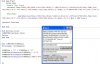
Attached is code to evaluate math same as Basic4ppc code operations.
This supports ^, MOD, /,*,-,+, INT,ABS,SIN,COS,TAN,ASIN,ACOS, ATAN,LN,LOG,EX(for e),E[E+,E-](for eng'g),PI,SQRT,Factorial(!)integer up to 170(max).
calculations in radians.
I've tried to compare results to Basic4PPC operations and it's ok, but still need to test for other bugs.(sometimes I got last (13th)decimal place descripancy in comparison).
EDIT: file updated by Rioven 26JAN09-fixed bugs on ^ function, added input error filters on parenthesis.
EDIT: file updated by Rioven 24JAN09 -fixed bug
EDIT: file updated by Klaus 21JAN09 -added LOG & SQRT functions
Regards,
__________________
Rioven
DEVICE: Motorola ATRIX (Dual Core) Android 2.2.1
DESKTOP: Intel Pentium Dual-core E5200; Microsoft® Windows® Vista Home (Basic); Hard Disk:320GB; Memory:4096MB
Last edited by Rioven : 01-26-2009 at 03:18 PM.
Reason: Uploaded the updated file by Rioven
Nice work !!! I have a partially written project to graph a range of numbers based on a formula in a text box. Bingo !! you have the missing link I was looking for.
This from my old code just converted to Basic4ppc, It can be optimized further. I created this function for my project that user can alter the default calculation formula or input their own formula.
Hope it works well for you.
Please test it more and let me know if there are still problems.
Regards,
Rioven
__________________
Rioven
DEVICE: Motorola ATRIX (Dual Core) Android 2.2.1
DESKTOP: Intel Pentium Dual-core E5200; Microsoft® Windows® Vista Home (Basic); Hard Disk:320GB; Memory:4096MB
I connected your code into a program that I'd written around Erel's Eval routine. Your code breathes new life into it. Allowing the user to select a range of x values & uses your routines to populate a table based on the formula entered into a text box. The user can then display the table in one of 3 graph formats. Thanks again for the work you did in creating the expression calculator. I only needed to change one thing & that was to reset the 'C' variable after a calculation so that it would accept modified variables thereafter.
Cheers!!
Hi HarleyM,
Thanks for pointing out the C variable to reset.
I attached the revised code and this is still
I've fixed some input variable/constant filters and bug on dividing negative value.
The code requires more input filters or errorhandling and tests.
Regards,
__________________
Rioven
DEVICE: Motorola ATRIX (Dual Core) Android 2.2.1
DESKTOP: Intel Pentium Dual-core E5200; Microsoft® Windows® Vista Home (Basic); Hard Disk:320GB; Memory:4096MB
Here you are, added SQRT and LOG.
There are some strange behaviours, also in version 2.1, I haven't yet looked in detail on what happens.
Best regards.
Hello Klaus,
Thanks for the added functions.
I hope you could have some times to have a look on these strange behaviours.
Hello Filippo,
If there are other functions that still need to add, It can be simply added under line 272 'special operators', just follow the pattern.
Any additional Constant can also be simply added under line 390 & 403 and also define under 'Sub Globals'.
Note: the latest file 'Mathcode02_2.sbp' updated by Klaus also been uploaded on the first post of this thread.
Thanks & regards,
Rioven
__________________
Rioven
DEVICE: Motorola ATRIX (Dual Core) Android 2.2.1
DESKTOP: Intel Pentium Dual-core E5200; Microsoft® Windows® Vista Home (Basic); Hard Disk:320GB; Memory:4096MB
Last edited by Rioven : 01-22-2009 at 06:35 AM.
Reason: added message...