Basic4ppc - Windows Mobile Development  

Go Back   Basic4ppc - Windows Mobile Development > Main Category > Code Samples & Tips > Official Updates
Home Register FAQ Members List Search Today's Posts Mark Forums Read

Official Updates Updates to official libraries could be found here.
This forum is only available to licensed users.


SQL library was updated - V1.4


Reply
 
LinkBack Thread Tools Display Modes
  #1 (permalink)  
Old 06-14-2008, 07:36 AM
Erel's Avatar
Administrator
 
Join Date: Apr 2007
Posts: 2,956
Default SQL library was updated - V1.4

The SQL library now supports parameterized queries.
Parameterized queries have several advantages over regular queries:
- Easy to use.
- No need to escape special characters.
- Protect against SQL injections.
- Significantly faster.

See Command.AddParameter and Command.SetParameter for more information.


Setup instructions:
Download and extract the attached file.
Copy all files to the libraries folder:
C:\Program Files\Anywhere Software\Basic4ppc Desktop\Libraries

Make sure to replace existing copies of SQLDesktop.dll and SQLDevice.dll with the new files.
Attached Files
File Type: zip SQL.zip (32.7 KB, 253 views)
Reply With Quote
  #2 (permalink)  
Old 06-14-2008, 11:20 AM
Filippo's Avatar
Basic4ppc Veteran
 
Join Date: May 2007
Location: Schwäb. Gmünd, Germany
Posts: 214
Awards Showcase
Beta Tester 
Total Awards: 1
Default

very good

__________________
PPC: MDA Pro, 2GB SD
PPC: HTC Touch Diamond, 4GB
______________________
Reply With Quote
  #3 (permalink)  
Old 06-14-2008, 05:18 PM
Knows the basics
 
Join Date: Jan 2008
Posts: 53
Default

Erel, it don't work on the device... Following code work on the desktop, but raises many errors on the device.
Code:
Sub Globals
	'Declare the global variables here.

End Sub

Sub App_Start
	Con.New1
	Cmd.New1("",con.Value)
    Con.Open("Data Source = " & AppPath & "\Northwind.sl3")
	Text="CREATE TABLE if not exists table1 (col1,col2)"
	cmd.CommandText=Text
	cmd.ExecuteNonQuery
	
	cmd.AddParameter("value1")
	cmd.AddParameter("value2")
	cmd.CommandText = "INSERT INTO [table1] (col1,col2) VALUES (@value1,@value2)"
	Con.BeginTransaction
	cmd.SetParameter("value2","SomeValue")
	For i = 0 To 10
		cmd.SetParameter("value1",i * 2)
		cmd.ExecuteNonQuery
	Next
	Con.EndTransaction
	Con.Close
End Sub
Reply With Quote
  #4 (permalink)  
Old 06-14-2008, 05:39 PM
Erel's Avatar
Administrator
 
Join Date: Apr 2007
Posts: 2,956
Default

It should work properly on the device.
Make sure you are using the updated library.
You can add:
Code:
Con.New1
Msgbox(Con.DLLVersion)
It should show 1.4.
Reply With Quote
  #5 (permalink)  
Old 06-14-2008, 05:58 PM
Knows the basics
 
Join Date: Jan 2008
Posts: 53
Default

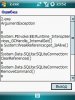
hmm... yes, it shows "1.4" but still don't work... I've attached screenshot with the error. On the desktop, as i said, everything works fine...
Attached Images
File Type: jpg 1.jpg (26.4 KB, 39 views)
Reply With Quote
  #6 (permalink)  
Old 06-14-2008, 06:07 PM
Erel's Avatar
Administrator
 
Join Date: Apr 2007
Posts: 2,956
Default

This error (which is not related to the new version) will only happen if you don't show any form.
You can fix it by explicitly disposing of the command and connection objects:
Code:
Sub App_Start
    Con.New1
    Cmd.New1("",con.Value)
    Con.Open("Data Source = " & AppPath & "\Northwind.sl3")
    Text="CREATE TABLE if not exists table1 (col1,col2)"
    cmd.CommandText=Text
    cmd.ExecuteNonQuery
    
    cmd.AddParameter("value1")
    cmd.AddParameter("value2")
    cmd.CommandText = "INSERT INTO [table1] (col1,col2) VALUES (@value1,@value2)"
    Con.BeginTransaction
    cmd.SetParameter("value2","SomeValue")
    For i = 0 To 10
        cmd.SetParameter("value1",i * 2)
        cmd.ExecuteNonQuery
    Next
    Con.EndTransaction
    Con.Close
     cmd.Dispose
    Con.Dispose
End Sub
Reply With Quote
  #7 (permalink)  
Old 06-14-2008, 06:16 PM
Knows the basics
 
Join Date: Jan 2008
Posts: 53
Default

wow... I didn't know about an error "when i don't show any form" , i've just started testing the new library. Yes, it works now, thanks Erel, and sorry for bothering...
Reply With Quote
  #8 (permalink)  
Old 08-18-2008, 12:43 AM
Junior Member
 
Join Date: Nov 2007
Posts: 19
Default

Is there anyway to use these parameter things with an UPDATE Sql command or do they only help with Inserts?

Edit: Got it! Turns out I'd got a comma in the wrong place which is why it didn't seem to be working! (Teach me to code when I should be in bed )

Anyway, for anyone else with such problems:
Code:
cmd.CommandText = "Update [Table] SET Col1 = @Value1, Col2 = @Value2 WHERE col3 = [whatever]"
works fine, just don't forget to watch the commas!

Last edited by Hennell : 08-18-2008 at 01:01 AM.
Reply With Quote
Reply


Currently Active Users Viewing This Thread: 1 (0 members and 1 guests)
 
Thread Tools
Display Modes

Posting Rules
You may not post new threads
You may not post replies
You may not post attachments
You may not edit your posts

vB code is On
Smilies are On
[IMG] code is On
HTML code is Off
Trackbacks are On
Pingbacks are On
Refbacks are On

Similar Threads
Thread Thread Starter Forum Replies Last Post
Hardware library was updated Erel Announcements 0 03-01-2008 04:20 PM
Hardware library was updated - 3.10 Erel Announcements 15 12-30-2007 03:18 PM
FormLib library was updated Erel Announcements 5 08-16-2007 05:05 PM
FormLib library was updated Erel Announcements 3 06-23-2007 06:27 PM
FTP library was updated Erel Announcements 1 04-29-2007 03:04 PM


All times are GMT. The time now is 12:49 PM.


Powered by vBulletin® Version 3.6.10
Copyright ©2000 - 2008, Jelsoft Enterprises Ltd.
Content Relevant URLs by vBSEO 3.1.0