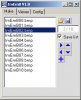
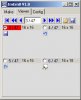
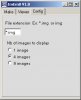
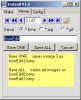
This application allows you to build a simple .DAT file to contain your embedded images. It will allow you to distribute only one .DAT file instead of all your .BMP images. Makes it nice to keep your distribution with as little files as possible.
Basic knowledge information -- Images added to the .DAT file are indexed starting with zero up to the amount of images that you have. For example if your application uses 10 images (example below) then your .DAT index will be 0-9
INSTRUCTIONS (FOR THIS EMBED BUILDER)
1.] Count how many images you will want to have in your application and the order you want to add them (not that that matters)
2.] Decide on a file name, this example uses Images.Dat
3.] Use the syntax: alFiles.Add("imagename.jpg") <--- this can be .JPG or .BMP -- does not matter
4.] Either add more alFiles lines or delete depending on the count of images you came up with in step 1.
5.] From your desktop, simply just --> RUN <-- the application, DO NOT COMPILE IT..
6.] The ImageBuilder will then search for and delete any prior versions of your Image.dat and then rebuild it for you.
7.] TIP! All the image files you are adding should be in the same folder as this .SBP folder
8.] When done, you will have a single .DAT file to put in your application folder
INSTRUCTIONS TO CALL AN IMAGE FROM YOUR .DAT FILE FROM YOUR APPLICATION
1.] From your main form, add an ArrayList component and name it IL1 (for Image List 1) and position it out of the way of any of your other controls.
2.] Create the following SUB anywheres in your applications .SBP code:
Sub RetrieveImages (file)
FileOpen(c,file,cRandom)
bin.New1(c,false)
num = bin.ReadInt32 'read the number of images.
For i = 1 To num
IL1.Add(bin.RetrieveImage)
Next
FileClose(c)
End Sub
3.] Next, on the App_Start event, add the following line: RetrieveImages("Images.Dat")
4.] On each form where you wish to display an Image control, use the following code: ImageControlName.Image = IL1.Item(5)
5.] Example: imgAbout.Image = IL1.Item(5)
Where in the above example, I have an image control called imgAbout and the photo for that is in the .DAT file in Index position 5
That's it....
Happy Programming!
Basic knowledge information -- Images added to the .DAT file are indexed starting with zero up to the amount of images that you have. For example if your application uses 10 images (example below) then your .DAT index will be 0-9
INSTRUCTIONS (FOR THIS EMBED BUILDER)
1.] Count how many images you will want to have in your application and the order you want to add them (not that that matters)
2.] Decide on a file name, this example uses Images.Dat
3.] Use the syntax: alFiles.Add("imagename.jpg") <--- this can be .JPG or .BMP -- does not matter
4.] Either add more alFiles lines or delete depending on the count of images you came up with in step 1.
5.] From your desktop, simply just --> RUN <-- the application, DO NOT COMPILE IT..
6.] The ImageBuilder will then search for and delete any prior versions of your Image.dat and then rebuild it for you.
7.] TIP! All the image files you are adding should be in the same folder as this .SBP folder
8.] When done, you will have a single .DAT file to put in your application folder
INSTRUCTIONS TO CALL AN IMAGE FROM YOUR .DAT FILE FROM YOUR APPLICATION
1.] From your main form, add an ArrayList component and name it IL1 (for Image List 1) and position it out of the way of any of your other controls.
2.] Create the following SUB anywheres in your applications .SBP code:
Sub RetrieveImages (file)
FileOpen(c,file,cRandom)
bin.New1(c,false)
num = bin.ReadInt32 'read the number of images.
For i = 1 To num
IL1.Add(bin.RetrieveImage)
Next
FileClose(c)
End Sub
3.] Next, on the App_Start event, add the following line: RetrieveImages("Images.Dat")
4.] On each form where you wish to display an Image control, use the following code: ImageControlName.Image = IL1.Item(5)
5.] Example: imgAbout.Image = IL1.Item(5)
Where in the above example, I have an image control called imgAbout and the photo for that is in the .DAT file in Index position 5
That's it....
Happy Programming!
Attachments
Last edited: