

Hi,
Here is a simple Slide Show program for the Pocket PC written in
Basic4ppc.
The program allows you to select 5 pictures that you can put into
a slide show. You can vary the slide show display rate from 500 mSec
up to 4000 mSec in steps of 250 mSec.
From the "Edit Screen" you can select 1 of the 5 radio buttons and then
press "Select File" which will take you to the OpenDialog screen where
you can select a file to assign to the selected slide position.
Pressing the button "Start" will start the slide show.
Pressing the button "Stop" will stop the slide show.
Pressing the "<<" button will scroll Left through the slide show.
Pressing the ">>" button will scroll Right through the slide show.
Pressing the "Edit" button will take you to the Edit screen where you
can select pictures for each of the 5 slides.
Pressing the "Read" button or "Read File" button
will read information for the 5 slides from the file "SlideData.txt".
Pressing the "Save File" button will save the information for all 5 slides to
the file "SlideData.txt".
Pressing the "Exit" button will take you out of the Edit screen and back
to the main Slide Show screen.
The file "Slidepic0.JPG" is the screenshot for the Slide Show program.
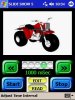
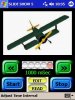
The files "Slidepic1.JPG" through "Slidepic5.JPG" are screenshots of all
5 slides.
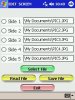
The file "Slideedit.JPG" is the screenshot of the Edit Screen.
The file "Slide.sbp" is the Basic4ppc source code for the program.
The file "Slidezip.zip" is the zipped up ARMV4 (.CAB) installation file.
Here is a simple Slide Show program for the Pocket PC written in
Basic4ppc.
The program allows you to select 5 pictures that you can put into
a slide show. You can vary the slide show display rate from 500 mSec
up to 4000 mSec in steps of 250 mSec.
From the "Edit Screen" you can select 1 of the 5 radio buttons and then
press "Select File" which will take you to the OpenDialog screen where
you can select a file to assign to the selected slide position.
Pressing the button "Start" will start the slide show.
Pressing the button "Stop" will stop the slide show.
Pressing the "<<" button will scroll Left through the slide show.
Pressing the ">>" button will scroll Right through the slide show.
Pressing the "Edit" button will take you to the Edit screen where you
can select pictures for each of the 5 slides.
Pressing the "Read" button or "Read File" button
will read information for the 5 slides from the file "SlideData.txt".
Pressing the "Save File" button will save the information for all 5 slides to
the file "SlideData.txt".
Pressing the "Exit" button will take you out of the Edit screen and back
to the main Slide Show screen.
The file "Slidepic0.JPG" is the screenshot for the Slide Show program.
The files "Slidepic1.JPG" through "Slidepic5.JPG" are screenshots of all
5 slides.
The file "Slideedit.JPG" is the screenshot of the Edit Screen.
The file "Slide.sbp" is the Basic4ppc source code for the program.
The file "Slidezip.zip" is the zipped up ARMV4 (.CAB) installation file.
Attachments
-
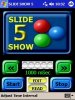 Slidepic0.JPG20.4 KB · Views: 293
 -
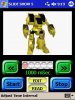 Slidepic1.JPG18.5 KB · Views: 296
 -
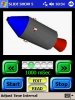 Slidepic2.JPG17.8 KB · Views: 299
 -
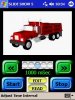 Slidepic3.JPG18.6 KB · Views: 273
 -
 Slidepic4.JPG18.6 KB · Views: 267
 -
 Slidepic5.JPG18.8 KB · Views: 271
 -
 Slideedit.JPG22.6 KB · Views: 276
 -
Slide.sbp12 KB · Views: 363
-
slidezip.zip81 KB · Views: 343

